How to Create a Self-Updating Portfolio with Authory 🚀
The Portfolio That Updates Itself
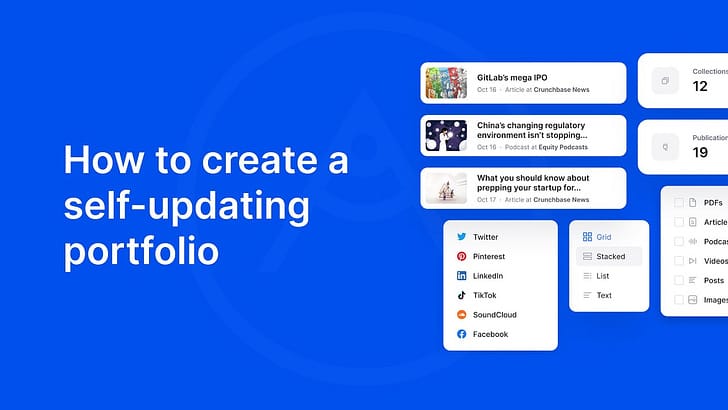
Hello and welcome to another edition of Inside The Newsroom, journalism’s job board.
We’ve reached the final installment of our four-part series with Authory, the journalism portfolio platform that we feel is revolutionizing the industry. Over the past three weeks, Authory founder Eric Hauch has shown us how to build a complete journalism portfolio in 60 seconds, how to automatically backup our work forever, and how to create custom mini portfolios to land jobs. Today, we’re covering something equally powerful but often overlooked: how to create a self-updating portfolio.
Here’s a scenario every journalist knows too well: You land a big story, it gets published, and you’re proud of it. But updating your portfolio? That’s a task for “later.” Weeks pass, then months. Your portfolio becomes outdated, missing your best recent work. When an opportunity comes up, you’re scrambling to manually add everything you forgot.
Authory eliminates this problem entirely. Once you set it up, your portfolio updates itself every single time you publish something new.
🎥 How To Automatically Self-Update Your Journalism Portfolio
Why Automatic Updates Change Everything
The beauty of Authory isn’t just that it makes creating a portfolio easy — it’s that it makes maintaining a portfolio effortless. This might sound like a small thing, but it’s actually one of the most powerful features for busy journalists.
Here’s why automatic updates matter:
Zero Maintenance Required: After your initial setup, you never have to think about updating your portfolio again. Publish a new article? It appears on your portfolio. Record a podcast episode? Added automatically. Write a newsletter? Already there.
Always Current: When an editor asks to see your recent work, or when you’re applying for a position, your portfolio is already up-to-date. No frantic evening trying to remember what you published in the last six months.
Complete Professional Record: Every piece you publish gets captured, even the ones you might forget about. That quick analysis you wrote at 11:30pm? The op-ed that went viral? The feature you’re especially proud of? All automatically added to your permanent record.
Perfect for Freelancers: When you’re writing for multiple publications, tracking everything becomes impossible. Authory does it for you, creating a comprehensive view of all your output across every platform.
Career Timeline: Over time, you build a complete archive of your professional evolution. You can see how your work has developed, what beats you’ve covered, and the breadth of your experience — all without lifting a finger.
Share With Confidence: Send your portfolio link to anyone, anytime, knowing it reflects your most current work. No more “oh wait, I haven’t updated that in months” disclaimers.
The automation is particularly valuable during busy news cycles. When you’re heads-down on a major story or juggling multiple deadlines, portfolio maintenance is the last thing on your mind. With Authory, it happens in the background while you focus on the work that matters.
🎁 Our Four-Week Journey With Authory
Over this series, we’ve explored how Authory helps journalists:
- Week 1: Build a portfolio in 60 seconds
- Week 2: Never lose your work again with automatic backups
- Week 3: Create custom portfolios that land jobs
- Week 4: Automatically update your portfolio
Whether you’re a freelancer juggling multiple clients, a staff reporter building your personal brand, or a recent graduate trying to showcase your work, Authory offers tools that make managing your journalism career easier.
Ready to get started? The free plan gives you access to all these features. No credit card required, no pressure — just better control over your professional presence.